How to Collect Photos From Wedding Guests (2026)
Somewhere during your wedding, your best friend will take the photo of the night. Your uncle will catch your mum crying through the speeches. Someone will film thirty seconds of the dance floor at half past midnight that is funnier than anything you'll get from the professional.
You will probably never see any of it.
Not because your guests don't want to share. Because sharing is a hassle, and the moment passes. They mean to send you the photos. Then it's Tuesday, they're back at work, and the album stays on their phone forever.
This is a solvable problem, and it takes about ten minutes of planning. Here's what actually works, what doesn't, and the details that decide which of those you end up with.
The short version
Give guests one link, printed as a QR code, and put it on every table rather than on one sign by the door. No app, no account, no password. Tell them once, out loud, early in the evening.
That's most of it. The rest of this post is why the other methods disappoint, and the small practical decisions that make the difference between eighty photos and six hundred.
Why your photographer isn't enough
This isn't a knock on photographers. A good one is worth every penny and will hand you images no phone can match.
But they're one person. While they're photographing you signing the register, nobody is photographing your grandad meeting your new in-laws at the back. They're rarely in the room while everyone's getting ready in the morning. And most contracts end somewhere around the first dance, which is roughly when your friends stop behaving.
Your guests fill in those gaps without being asked. Fifty phones, all pointed at things the photographer physically cannot be near. The pictures already exist. The only question is whether they reach you.
The methods people usually try
Shared cloud albums
Google Photos, iCloud, a Dropbox folder. Free, decent quality, no cost beyond storage you probably already have.
The catch is the sign-in. Guests need the right app and often an account, and a shared iCloud album is close to useless for anyone on Android. In practice you lose the guests who are least comfortable with their phones, which — and this is the annoying part — tends to be the older relatives whose photos you'd treasure most.
Fine for a small group who all use the same ecosystem. Frustrating at a wedding of a hundred and twenty.
The WhatsApp group
Easy, and everyone's already there. The problem is compression. Most messaging apps flatten images to keep them small, and a photo that looks fine on a phone screen falls apart the moment you try to print it at any size. There's usually an option to send as a file that preserves quality, and roughly nobody uses it.
There's also the volume problem. Two hundred photos in a group chat is unusable — you'll be scrolling past them for weeks, and saving each one individually is a genuinely miserable evening.
An Instagram hashtag
This worked beautifully around 2016. It works much less well now, because most people's accounts are private, and a private post never shows up in the hashtag feed. You'll see photos from the handful of guests with public profiles, at social-media resolution, and miss everyone else.
Still nice to have if you want one. Just don't make it your only plan.
Disposable cameras
Genuinely lovely, and people enjoy them. They're also expensive at scale — buy thirty and develop them and you're well into three figures, sometimes several times that. Expect a good portion of the frames to be dark, blurry, or a close-up of someone's thumb, and expect to lose two or three cameras entirely.
Our honest take: buy a handful for the fun of it, and don't rely on them as your method for collecting photos.
Asking afterwards
The classic. You send a group message the following week, four people reply, and you spend the next two months chasing the rest before quietly giving up.
The problem isn't that people are rude. It's that you're asking them to do work after the emotional moment has passed. Nobody feels like digging through their camera roll in the middle of a Tuesday.
What works: one link, no accounts
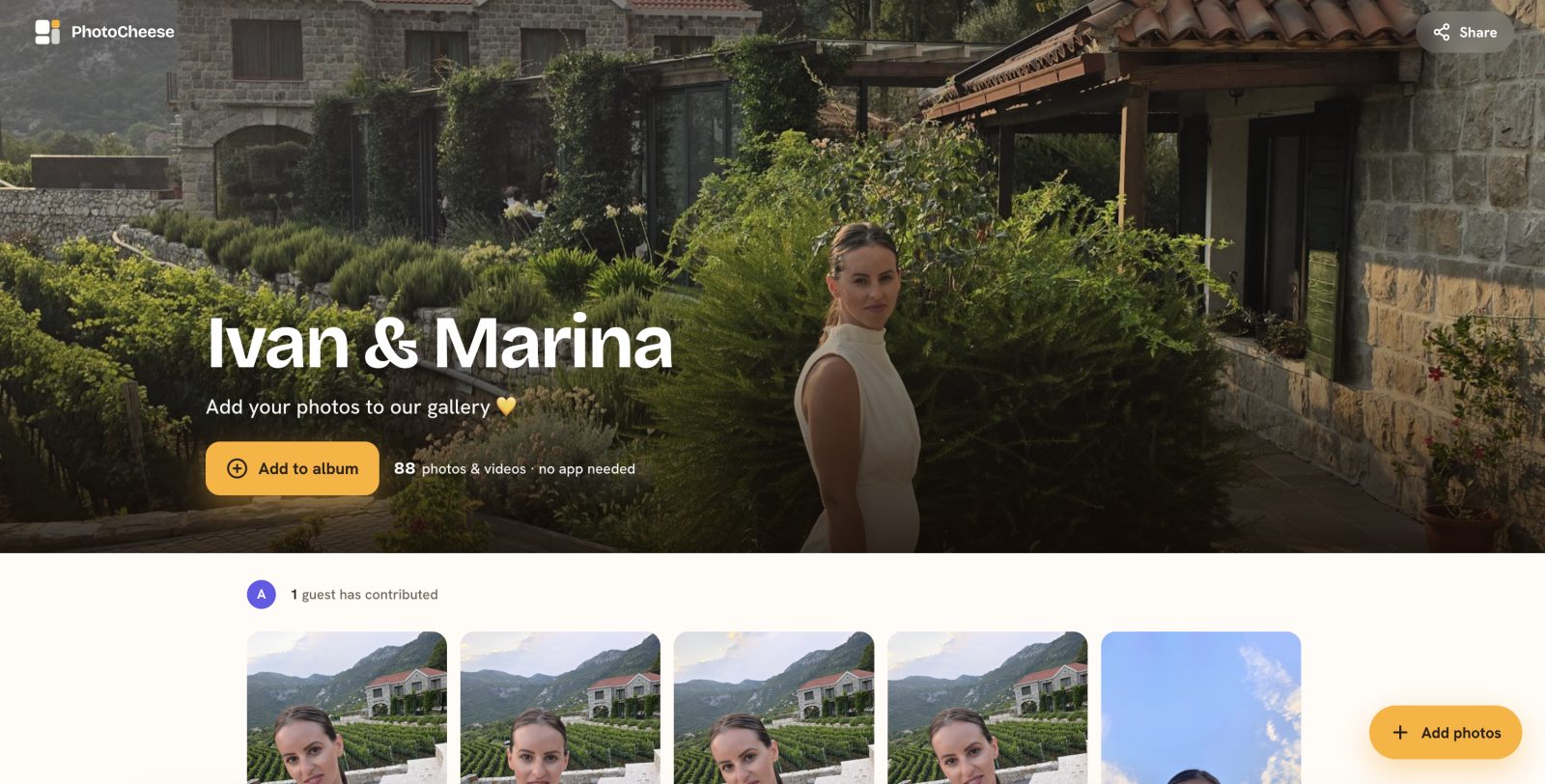
The reliable version is a single upload link, printed as a QR code and put where guests already are. They point a phone camera at it, a page opens in the browser, they pick their photos, done. No download, no sign-up, no password to forget.
The reason this beats everything else is friction. Every extra step loses guests, and it loses the least tech-confident ones first. If your nan can do it without asking anyone for help, you'll get her photos too.
Several services do this and most of them are fine. We build one of them — PhotoCheese — so treat our opinion accordingly, and judge whichever you're looking at on the same four questions:
Does it work without an app or a guest account?
Do photos arrive at full quality, or compressed?
Can you download everything in one go, in one click?
How long do the photos stay available, and what happens when that runs out?
That last one catches people. Every service has an expiry, and they vary wildly.
The part that actually decides how many photos you get
Here's where most couples lose out, and it has nothing to do with which app they picked.
Put a card on every table. One sign by the entrance gets scanned by a handful of people on the way in, before anyone has taken a single photo. The card needs to be sitting in front of guests during dinner, when they're settled and slightly bored between courses.
Add a few beyond the tables. The bar, where people queue with phones already in hand. Beside the guest book. On the back of the menu. And — unglamorous but remarkably effective — in the bathrooms, where people are alone with their phone and nothing to do.
Say it out loud, once. A single line from whoever is talking before dinner does more than any amount of signage. "There's a code on your table — please add your photos, we'd love to see the day through your eyes." That's it. One mention, early. Don't nag.
Ask for something specific. A card that says "add your photos" does worse than one that suggests what to capture. Guests upload more when they know what you want: getting ready, the ceremony from the back row, whatever's happening at table nine, the dance floor after midnight. Some couples print a short list of photo prompts on the cards, which turns it into a game and produces exactly the candid pictures you'll keep.
Test the code before you print two hundred of them. Print one. Scan it with a different phone from the one you set it up on. Check where it lands. This takes ninety seconds and saves the specific horror of discovering at the reception that every card on every table points nowhere.
Make it big enough. Around an inch across on a table card, considerably bigger on a poster. Dark ink on a light background, and nothing decorative running across it. Beautiful cards that won't scan are the single most common failure we see, and they're always the ones somebody put a lot of care into.
Ask about the signal. Venues in barns and cellars are frequently terrible for reception. Check whether your service queues uploads in the background and finishes them when guests get signal back, and put a line on the card saying photos can be added later. People will scan during the evening and upload on the drive home.
Afterwards
Photos keep arriving for days. Some of the best ones show up on the Tuesday, from the guest who was too busy dancing to open their phone.
Once the trickle stops, download the whole set. Don't leave it sitting in the gallery — every one of these services expires eventually, including ours, and "I'll do it next month" is how people lose the lot. Put the full-resolution files somewhere permanent: an external drive, a cloud folder, ideally both.
Then sit down and go through them together. Most couples say the same thing afterwards. The professional photos are the ones they frame. The guest photos are the ones they keep laughing at for years.
A few honest caveats
Since we've just spent a thousand words recommending this approach, here's what nobody selling it tends to mention.
A link is a link. On most of these services — ours included — whoever holds the QR code can open the gallery and add to it. There's no guest list being checked at the door. In practice this barely matters, because the code lives on the tables at your wedding rather than on the internet. But it's worth knowing before you post the link publicly on a wedding website.
Photos usually arrive exactly as the phone took them, which means they can still carry the location they were taken in. Not an issue at a venue. Worth a thought if a guest uploads something from their kitchen a week later.
And the expiry windows are real, and shorter than most people assume. Read them before you buy, not in the reminder email.
None of that should put you off. It's a ten-minute job that saves the photos of your entire wedding from dying quietly in a hundred camera rolls. Just go in knowing how it works.
Setting up a gallery takes about a minute, and it's free to start. Have a look at a real one first if you'd rather see it before you commit.